What are meal stickers?
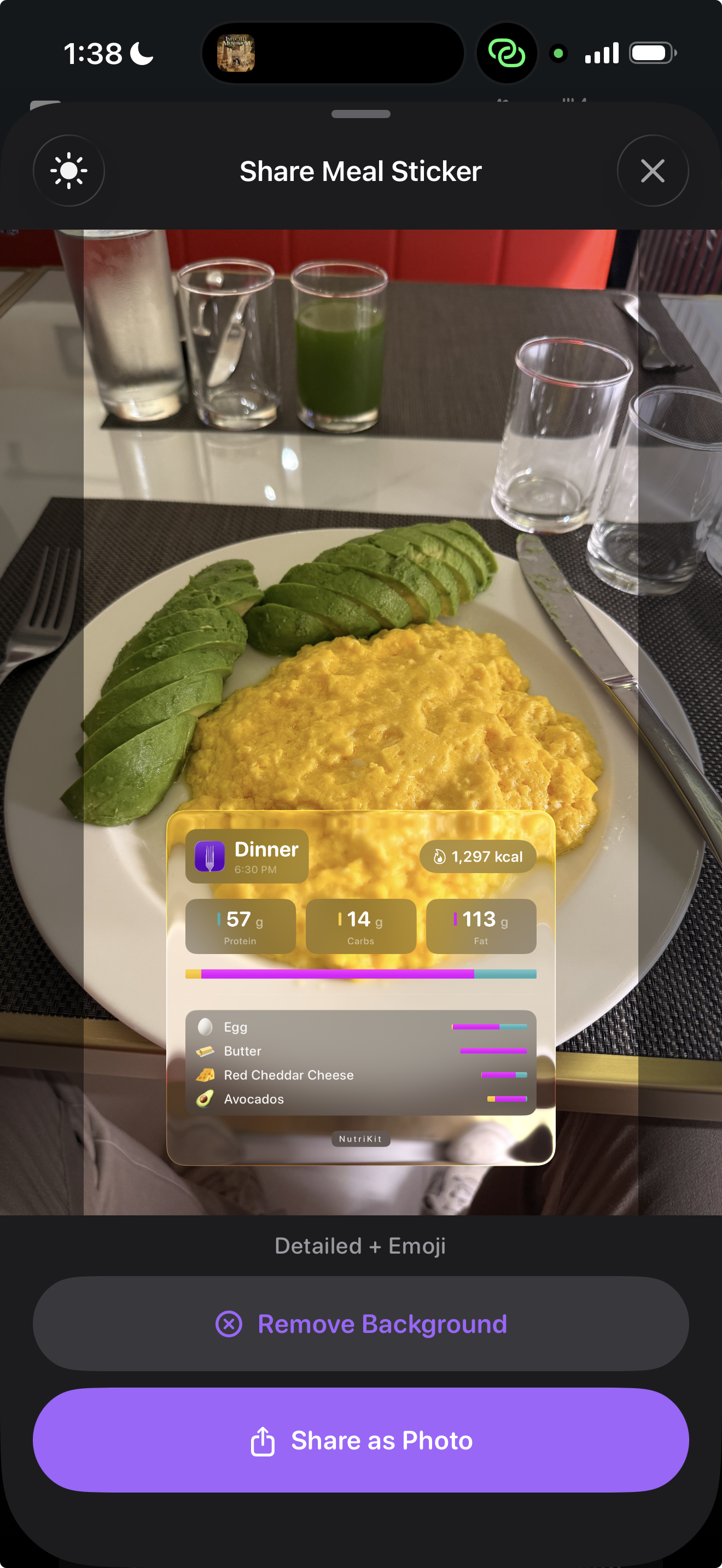
Meal stickers are translucent, glass-effect overlays that display your nutrition data in a visually striking format. They're designed to look beautiful on top of food photos — like a premium UI widget floating over your meal.
Each sticker shows:
- Total calories for the meal (or the full day)
- Macro breakdown — protein, carbs, and fat in grams
- A list of foods you ate, each with an auto-assigned emoji
- The meal name and date
The glass effect uses blur and transparency to blend naturally with whatever photo or background it's placed on. It's not a flat graphic pasted on top — it genuinely looks like a frosted glass panel hovering over your content.
Sticker types
NutriKit offers two sticker modes:
Meal stickers show data for a single meal — what you ate at lunch, for example. These are perfect for Instagram stories or messages to friends showing what you had.
Daily stickers show your full-day nutrition summary — all meals combined, total macros, and a complete food list. These work well for end-of-day recaps and accountability posts.
Both types are generated instantly from your diary data. There's nothing to configure or design — NutriKit composes the sticker automatically from what you've already logged.
Sharing and placement
Once generated, stickers can be:
- Placed on a photo from your camera roll — drag and resize the sticker over your food photo, then export the combined image
- Shared directly to Instagram Stories, where the sticker appears as a draggable overlay
- Copied to clipboard and pasted into any app — iMessage, WhatsApp, social media
- Saved as a standalone transparent PNG for use anywhere
The sticker is rendered at high resolution with transparency, so it works on any background — light, dark, or busy. The glass effect adapts to the underlying content, always remaining readable.
This feature exists because sharing is a natural part of the nutrition tracking experience. People share their meals, their progress, and their daily logs. NutriKit makes that sharing look effortless and professional.